

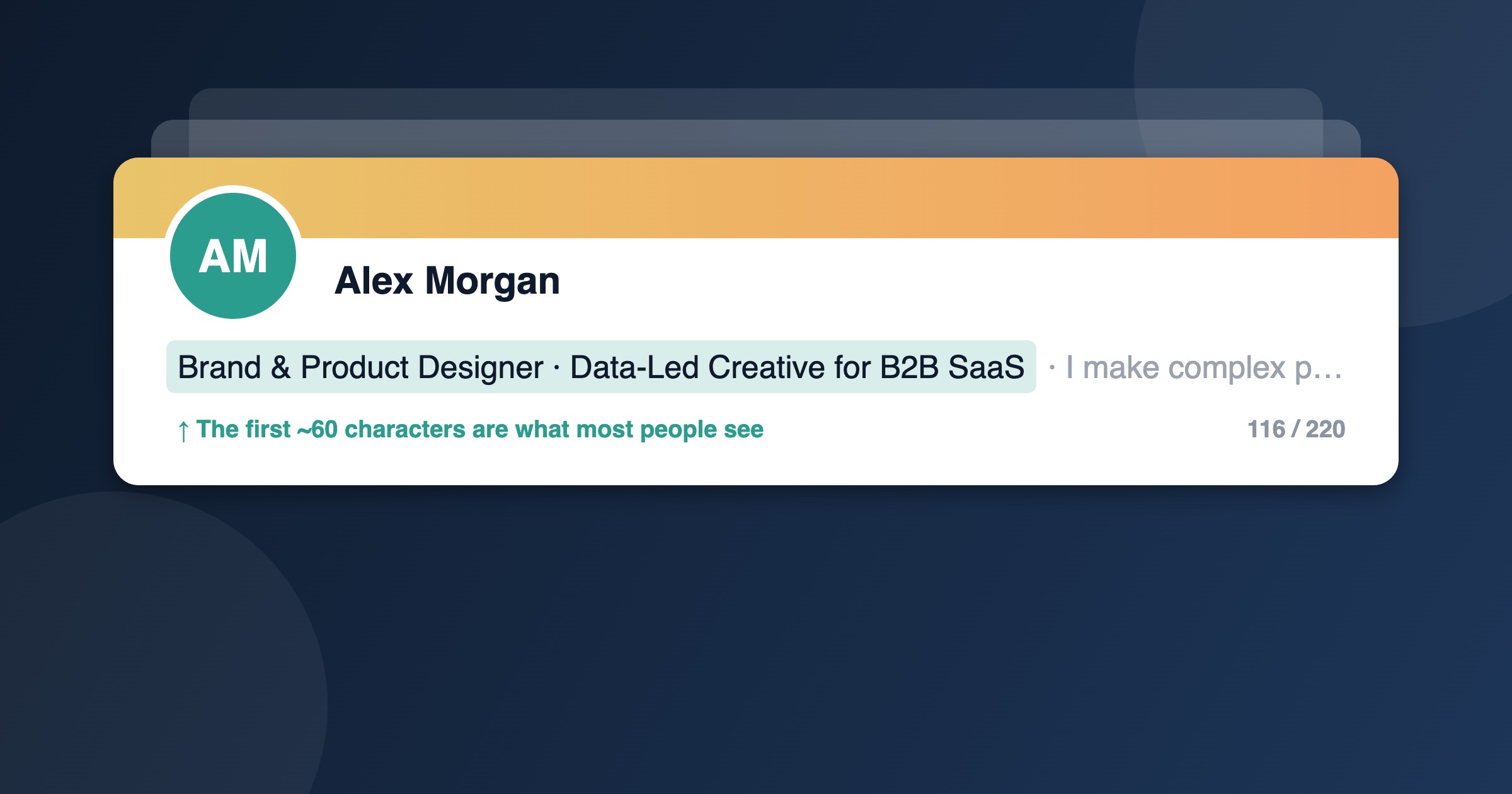
Your LinkedIn headline is the line of text that follows your name everywhere on the platform: search results, connection requests, comments, the “People you may know” panel, and every post you write. It’s often the only part of your profile a recruiter or prospect sees before deciding whether to click.
Most people waste it on a bare job title. Below are 10 headline examples that stand out for different reasons (some funny, some keyword-packed, some quietly confident) plus a simple formula for writing your own.
What’s changed since we first wrote this
We first published this list back in 2012, when a LinkedIn headline was capped at 120 characters. A lot has moved on since then:
- You now get 220 characters. LinkedIn expanded the headline in late 2020 and the limit has stayed there. Spaces, punctuation and emojis all count.
- Only the first 60–70 characters show in many places. In search results, comments and on mobile, the headline gets cut off with an ellipsis. Whatever matters most has to come first.
- Recruiters search by keyword, and so do the algorithms. LinkedIn Recruiter and its AI-assisted matching lean heavily on the words in your headline. A clever line with no searchable terms in it can make you invisible.
- “Open to Work” has its own setting. You no longer need to spend headline space telling people you’re looking.
The original advice still holds, though: your headline should be about what you do and who you do it for, not just what you are.
A simple formula
Most strong headlines have three parts, usually separated with a vertical bar (|) or a bullet (•):
- Who you are: the job title people actually search for (not your internal one).
- What you specialize in: industry, tools, niche or audience.
- Why it matters: a result, a number, or a line of personality that earns the click.
You don’t have to use all 220 characters. A specific 110-character headline beats a padded 215-character one every time. Each example below shows its character count so you can see the range.
10 LinkedIn headline examples that stand out
These are illustrative examples written for this article, not copied from real profiles. Borrow the structure, not the words.
1. The left-brain, right-brain thinker
Brand & Product Designer | Data-Led Creative for B2B SaaS | I make complex products feel simple (and convert better)
116 characters
Creative roles often struggle to show commercial value. This one pairs the craft (“Brand & Product Designer”) with evidence of the analytical side (“Data-Led”, “convert better”), so it appeals to both the creative director and the CFO signing off the hire.
2. The one-liner
I write things people actually finish reading.
46 characters
Short, confident and memorable, and it fits entirely in a search result. The trade-off: there’s no job title or keyword in it, so it won’t help you get found. It works best for people who already have an audience and get most of their traffic from posts and comments rather than search. If that isn’t you, add “Copywriter |” to the front.
3. The founder who sells the product
Founder @ Refill Light | Wickless candles that last 3x longer | Making cozy homes zero-waste
92 characters
Founders often write “CEO at [Company]” and stop. That tells nobody anything if they haven’t heard of the company. This version explains the product, gives a concrete benefit and hints at the mission, which turns every comment the founder leaves into a small ad.
4. The clear value statement
Payroll Manager | Multi-State US Payroll • ADP & Workday | Clean audits, on-time pay, zero drama for 2,000+ employees
117 characters
The classic personal brand statement, done properly. A recruiter searching “multi-state payroll Workday” finds this profile, and the hiring manager reading it knows exactly what problem this person solves. Naming the systems you use is one of the easiest keyword wins there is.
5. The niche expert
Publicity strategist for indie authors | Free media coverage without a PR agency | 120+ books featured in national press
120 characters
Narrowing your audience makes you more memorable, not less. “Publicity strategist” is generic; “publicity strategist for indie authors” is a category of one. The proof point at the end does the persuading.
6. The keyword-led job seeker
Senior Data Analyst | SQL • Python • Power BI | Retail & E-commerce | Turning messy sales data into decisions
109 characters
Not poetic, but extremely findable. If you’re actively job hunting, this is the format to copy: the exact title you want, the skills that appear in job ads for that title, your industry, then one human line at the end so you don’t read like a keyword list.
7. The numbers person
B2B Account Executive | 142% of quota in 2026 | Mid-market SaaS | Ex-Salesforce
79 characters
In results-driven roles, a single number does more than any adjective. “Ex-Salesforce” borrows credibility from a recognizable brand. Just make sure every number in your headline is one you’d happily defend in an interview, and update it when the year changes.
8. The career changer
Teacher → Learning & Development Specialist | Instructional Design • Articulate 360 | 11 years making hard things easy to learn
127 characters
Switching fields is hard to explain in a job title. The arrow tells the story in one character, the tools show you’ve done the retraining, and the last line reframes the old career as an asset rather than something to apologize for. Brand yourself for the job you want, not just the one you have.
9. The recruiter people actually reply to
Tech Recruiter who reads your whole profile | Engineering hiring for fintech startups | No spam InMails, promise
112 characters
Candidates are tired of copy-paste outreach, and recruiters know it. This headline tackles that head-on with a bit of humor, while still saying exactly what kind of roles this recruiter fills. For more ideas, see our LinkedIn headline examples for recruiters.
10. Not a team player?
Not a team player. A team builder. | Head of People @ Northwind | Scaling startups from 20 to 200 without losing the culture
124 characters
Opening with something that sounds wrong makes people read the next line. The twist lands in the first 35 characters, so it works even when truncated, and the rest of the headline backs it up with a real title and a real outcome. Humor works on LinkedIn when it’s attached to substance, not instead of it.
Headline mistakes to avoid
- “Seeking new opportunities”. Nobody searches for it, and it uses up characters that the Open to Work setting already covers. Put your target role there instead.
- Job title only. If your headline matches your current position, LinkedIn simply shows it once. You’ve used none of your extra space.
- Internal job titles. “Talent Magnet II” or “Associate, Growth Ops Pod” mean something inside your company and nothing in a recruiter’s search bar. Use the title the market uses.
- Hashtags. They aren’t clickable in your headline and don’t help you get found. They just eat characters.
- Buzzword soup. “Passionate, results-driven, visionary thought leader” could describe anyone. Swap adjectives for specifics: a niche, a tool, a number.
- Burying the good bit. If your best line starts at character 140, most people will never see it. Front-load.
How to change your LinkedIn headline
On desktop, click Me at the top of your homepage, choose View Profile, then click the pencil icon in your introduction section. Edit the Headline field and click Save. On the mobile app, tap your profile picture, go to your profile, tap the pencil icon and edit the same field. LinkedIn’s own help page on editing your headline has the latest steps.
Before you save, read your headline as if it were cut off after about 60 characters. If that fragment still tells a stranger who you are, you’re in good shape.
LinkedIn headline FAQ
How long can a LinkedIn headline be?
220 characters, including spaces and emojis. Many search results and mobile views show only the first 60–70, so put the most important words first.
Should I put my job title in my headline?
Yes, in most cases. Recruiters search by title, so leaving it out makes you harder to find. Just don’t stop there: add your specialism and a reason to click.
Can I use emojis in my LinkedIn headline?
You can, and one can help you stand out in a busy feed. More than one or two starts to look cluttered, and emojis don’t help search, so never let them replace a keyword.
How often should I update my headline?
Whenever something meaningful changes: a new role, a new certification, a shift in what you’re looking for, or a number in it that’s gone out of date. It’s also worth testing a new version if your profile views or search appearances drop.
Your turn
Pick the example closest to your situation, swap in your own title, niche and proof point, and read it back at 60 characters. Then keep going with the rest of your profile: our guide to optimizing your LinkedIn profile for job search covers the About section, keywords and recommendations, and if you’re on the hiring side, this guide to reading between the lines of a LinkedIn profile shows what recruiters look for.


